Best LinkedIn lead generation tools for startups in 2026: Sales Navigator, Apollo, Clay, Waalaxy, Dripify and more
Sales Navigator, Apollo, Clay, Waalaxy, Dripify, Lusha, HubSpot, Taplio and OutreachGenie compared on 2026 prices, LinkedIn rules and CASL.
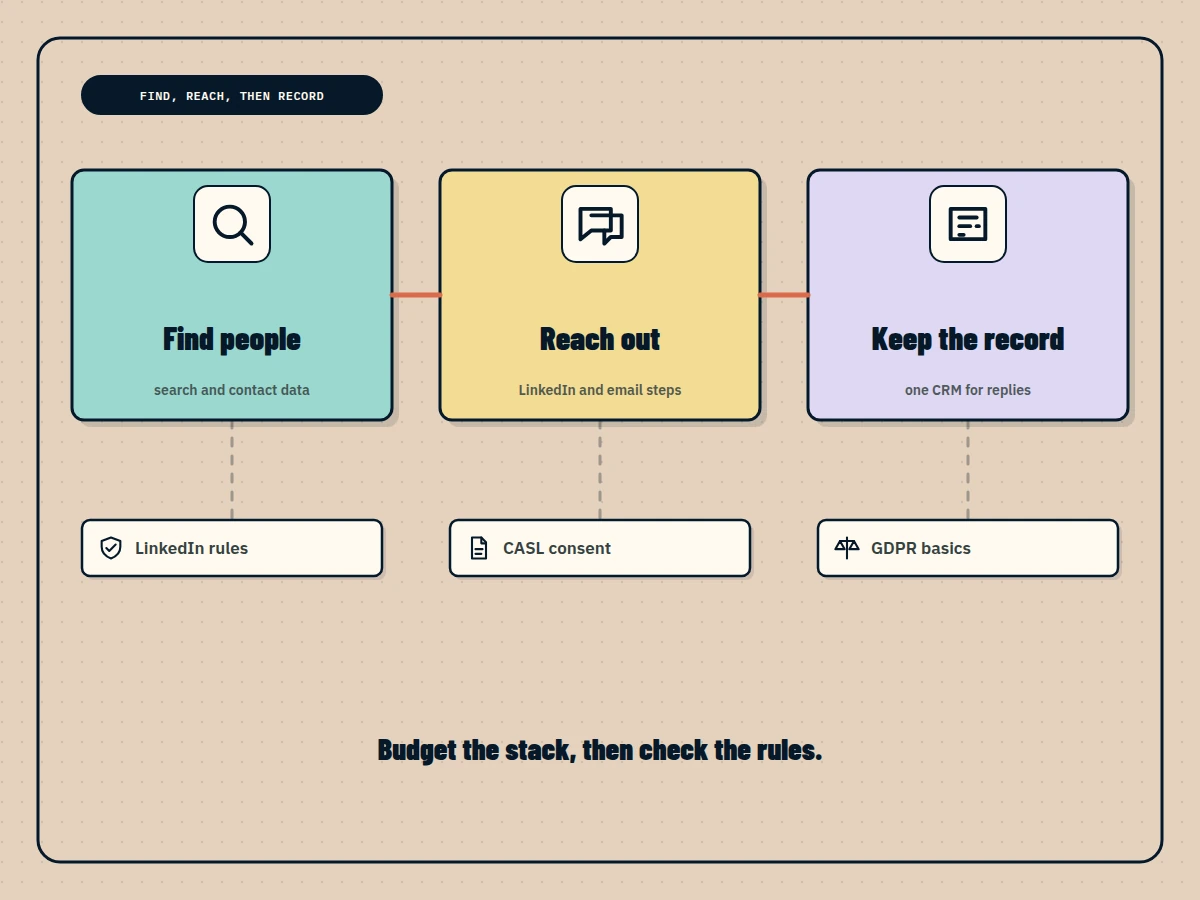
For most startups, the best LinkedIn lead generation setup is a small stack, not one tool. Use LinkedIn’s own search or Sales Navigator Core (US$119.99 or C$144.99 a month) to find people, Apollo (free, or $65 a month for Basic) or Lusha (from $49.90) for emails and phone numbers, and HubSpot’s free CRM to keep the record. Add an outreach tool when sending becomes the bottleneck: Waalaxy from $19 a month in the cloud, Dripify at $79 for LinkedIn plus email, or OutreachGenie’s free plan from your own Chrome. Clay suits teams with a data owner. Every price was checked on the vendor’s page on November 6, 2026.
The short comparison
Prices are the lowest paid plan on monthly billing, in US dollars unless marked, before tax. Tools are in alphabetical order, not ranked.
| Tool | Best for a startup that | Lowest paid plan (monthly billing) | Free option | What it does |
|---|---|---|---|---|
| Apollo | Needs emails, phone numbers and email sequences in one place | $65 per seat (Basic); $49 billed annually | Free plan: 75 credits a month | Contact data and email outreach |
| Clay | Has someone who will own an enrichment pipeline | $185 (Launch); $167 billed annually | Free plan: 500 actions and 100 data credits a month | Data enrichment and research |
| Dripify | Wants LinkedIn and email in one cloud sequence | $79 per user (Pro); $59 billed annually | No; 7-day trial, no card | LinkedIn and email outreach |
| HubSpot CRM | Needs one place for contacts, deals and replies | Starter from $15 per seat | Free CRM, no card | CRM |
| Lusha | Wants verified emails and direct dials without a big contract | $49.90 (Starter); $37.45 billed annually | Free plan: 40 credits a month | Contact data |
| OutreachGenie | Runs LinkedIn outreach on almost no budget | $15 (Pro); $150 a year | Free: 80 outreach actions and 500 new prospects a week, no card | LinkedIn outreach and prospect lists |
| Sales Navigator Core | Prospects inside LinkedIn every day | US$119.99 or C$144.99 per license | Free trial | LinkedIn search and lead lists |
| Taplio | Sells through founder content first | $39 (Starter); outreach automation on Pro at $199 | No; 7-day trial | LinkedIn content, with outreach on Pro |
| Waalaxy | Wants the cheapest cloud LinkedIn sequences | $19 per user (Pro); $16 billed yearly | No; 14-day trial | LinkedIn outreach, email on Business |
Pick by stage, not by feature list
Startups buy these tools too early more often than too late. A useful rule is to pay only for the step that is currently slowing you down.
- Founder-led sales, under 50 conversations a month: LinkedIn’s free search, Apollo Free and HubSpot’s free CRM. The cost is $0, and you learn which messages work before automating any of them.
- The founder runs out of search filters: add Sales Navigator Core. In Canada it is C$144.99 a month, or C$1,199.88 a year if you are sure you will keep it.
- You need phone numbers for a call-heavy motion: Lusha. Its phone reveals cost 5 credits against Apollo’s 8.
- You hire a first SDR who needs volume on LinkedIn: Waalaxy for cloud sequences or Dripify if email follow-ups belong in the same sequence. OutreachGenie is the low-cost option if the SDR works from Chrome during the day.
- Content is your top-of-funnel: Taplio for writing and scheduling, then move engaged readers into outreach.
- You have a growth engineer or RevOps hire: Clay, to combine data providers and score accounts before anyone writes a message.
Data and search tools
LinkedIn Sales Navigator: LinkedIn’s own search
Sales Navigator adds advanced filters, saved searches and lead lists to LinkedIn. It does not give you email addresses or send sequences, which is why it usually sits next to a data tool and an outreach tool.
- Price: Core from US$119.99 per license a month or US$1,079.88 a year; Advanced from US$159.99 a month or US$1,799.88 a year; Advanced Plus by quote. LinkedIn also lists Canadian prices: Core C$144.99 a month or C$1,199.88 a year, Advanced C$179.99 or C$2,039.88. LinkedIn notes these may exclude GST and that checkout shows the final amount. Checked November 6, 2026 on the Sales Navigator plan comparison page.
- Pros: the most direct view of LinkedIn’s member data; published Canadian pricing, so no currency surprise; other tools in this list can import its searches.
- Cons: the most expensive search seat here on monthly billing; annual billing is paid upfront; no contact data or outreach.
Apollo: the free starting point for contact data
Apollo combines a B2B contact database with email sequences, a dialer and CRM syncing. For a startup, its value is the free plan and a paid tier that covers both finding and emailing people.
- Price: Free at $0 with 75 credits per seat a month. Basic is $65 per seat a month on monthly billing or $49 billed annually; Professional is $99 or $79; Organization starts at $149 or $119 with a three-seat minimum. An email costs 1 credit and a phone number 8. Prices are shown in US dollars. Checked November 6, 2026 on the Apollo pricing page.
- Pros: a usable free plan; data and email outreach on one bill; integrates with HubSpot and other CRMs.
- Cons: phone credits run out quickly; it does not automate LinkedIn invitations or messages; credit rules take time to model.
Clay: enrichment for teams with a data owner
Clay is a spreadsheet-like workspace that queries many data providers in sequence, runs an AI research agent on each row and pushes the result to your CRM or sequencer.
- Price: Free plan with 500 actions and 100 data credits a month and up to 200 rows per table. Launch starts at $185 a month on monthly billing ($167 a month on annual billing) for 15,000 actions and 2,500 data credits a month; Growth starts at $495 ($446 annually). Checked November 6, 2026 on the Clay pricing page.
- Pros: very flexible; job-change and other signals on Launch; unlimited seats on every plan.
- Cons: the highest entry price in this list; needs someone who enjoys building workflows; outreach happens in another tool.
Lusha: contact data by the credit
Lusha shows verified emails and phone numbers through a browser extension and its web app, and syncs to CRMs. It does not run outreach.
- Price: Free plan with 40 credits a month. Starter is $49.90 a month with 400 credits, or $449.10 a year; Pro is $69.90 a month with 600 credits, or $629.10 a year. An email costs 1 credit and a phone number 5. Unused monthly credits roll over up to twice the plan’s limit. Checked November 6, 2026 on the Lusha pricing page.
- Pros: cheaper phone numbers than Apollo by credit; rollover protects slow months; quick to adopt.
- Cons: data only; teams larger than five users are sent to sales; credits still cap how many people you can reach.
Outreach and content tools
Waalaxy: the cheapest cloud LinkedIn sequences
Waalaxy runs LinkedIn invitation and message sequences in its cloud, so they continue when your laptop is closed. Its Business plan adds email sequences and multiple sender accounts.
- Price: in its US-dollar display, Pro is $19 per user a month (300 invitations a month), Advanced $39 and Business $69 (both 800 invitations a month). Yearly billing lowers them to $16, $32 and $55. Each plan includes email-finder credits, and a 14-day trial is offered. Checked November 6, 2026 on the Waalaxy pricing page.
- Pros: the lowest cloud price in this list; simple onboarding; email on Business.
- Cons: 300 invitations a month on Pro is a tight ceiling; email only on Business; the displayed currency varies by region.
Dripify: LinkedIn and email in one cloud sequence
Dripify runs mixed LinkedIn and email sequences in the cloud on every paid plan, with team management and A/B testing on Advanced.
- Price: Pro is $79 per user a month on monthly billing or $59 billed annually; Advanced is $99 or $79; Enterprise is quoted. Both public plans include 100 email-finder credits a month. The 7-day trial needs no card and does not charge automatically. Checked November 6, 2026 on the Dripify pricing page.
- Pros: email steps from the cheapest plan; cloud execution; a trial that cannot surprise you with a charge.
- Cons: no free plan; $79 a seat adds up quickly for a team; LinkedIn-plus-email sequences still need a clean email list.
OutreachGenie: LinkedIn outreach from your own browser
OutreachGenie is a web app for prospect lists, flows and campaigns, with a Chrome extension that performs the LinkedIn steps in the user’s own signed-in browser. Prospects can be captured from LinkedIn search, Sales Navigator, post engagement or a CSV, and an MCP server, Zapier and API keys are included on every plan.
- Price: Free at $0 with no card, limited to 80 outreach actions and 500 new prospects a week. Pro is $15 a month or $150 a year and removes both limits. Agency is $20 per connected LinkedIn account a month. Prices are in US dollars. Checked November 6, 2026 on the OutreachGenie pricing page.
- Pros: the only free plan here that sends LinkedIn invitations and messages; the lowest paid price for unlimited LinkedIn outreach; automation access without an upgrade.
- Cons: LinkedIn only, with no email sequences; Chrome must stay open while actions run; a newer product with fewer public reviews; Free stops at its weekly caps.
Taplio: when founder content is the lead source
Taplio is mainly a LinkedIn content tool: AI writing, scheduling, analytics and engagement feeds. Its Pro plan adds lead outreach: saving the people who engage with your posts to lists and sending them automated messages and connection requests.
- Price: Starter is $39 a month on monthly billing or $32 billed yearly; Growth $69 or $49; Pro $199 or $149. Each plan starts with a 7-day trial. Checked November 6, 2026 on the Taplio pricing page.
- Pros: strong for founders who sell through posts; turns post engagement into a list; a free browser add-on for stats.
- Cons: outreach automation only on the $199 Pro plan; content tools do not replace a CRM or contact data.
The CRM: HubSpot’s free tier
Every stack needs one place where a reply turns into a deal. HubSpot’s free CRM has no expiry date and needs no card. It covers contact management, deal pipelines, imports, a reporting dashboard and the Breeze AI assistant, and it connects to Apollo, Lusha and most outreach tools directly or through Zapier.
- Price: Free at $0. Paid Starter starts at $15 per seat a month (a new-customer discount, per HubSpot), Professional at $50 and Enterprise at $75. Checked November 6, 2026 on the HubSpot CRM page.
- Pros: free with no time limit; widely supported by other tools; upgrades keep your data in place.
- Cons: HubSpot branding and limited controls until Starter; paid tiers rise steeply with seats.
A starter stack for about $100 a month
For one founder or a first SDR, three combinations keep the monthly bill near or under $100 (US dollars, before tax):
- $0: LinkedIn search, Apollo Free, HubSpot Free and OutreachGenie Free. Good for proving a message before paying for volume.
- About $84: Apollo Basic ($65) for data and email, Waalaxy Pro ($19) for cloud LinkedIn sequences, HubSpot Free for the record.
- About $105: Sales Navigator Core on annual billing (about $90 a month) plus OutreachGenie Pro ($15), HubSpot Free for the record.
Canadian startups pay most of these vendors in US dollars, so the card statement moves with the exchange rate, and sales tax may apply at checkout. Sales Navigator is the exception here with a published Canadian price.
What LinkedIn’s rules say
Section 8.2 of LinkedIn’s User Agreement says members must not use bots or other unauthorized automated methods to access LinkedIn, add or download contacts, send or redirect messages, or create, like, comment on and share posts, and it separately rules out plugins and scripts that scrape or copy the service. LinkedIn’s Help Center page on prohibited software and extensions says tools that scrape, modify the appearance of, or automate activity on its site are not permitted and that accounts using them can be restricted or shut down. A second page, Automated activity on LinkedIn, says a restricted member is asked to disable the tool before the account is re-enabled. That applies to Waalaxy, Dripify, Taplio’s automated outreach and OutreachGenie, whether they run in a cloud or a browser. Sales Navigator is LinkedIn’s own product, and data tools are governed mainly by their own terms and privacy law.
Compliance for Canadian startups: CASL and GDPR basics
This is a short orientation, not legal advice. Talk to a lawyer before you build a process around it.
CASL covers your email follow-ups. Canada’s anti-spam law requires consent before you send a commercial electronic message, plus identification and a working unsubscribe in every message. The Act defines an electronic address as an email, instant messaging or telephone account, or any similar account, so treat commercial messages on other platforms with the same care. The government’s guide to getting consent to send email explains the two kinds of consent:
- Express consent: the person agreed, in writing or out loud, to receive your messages. It lasts until they withdraw it.
- Implied consent: for example a customer who bought from you (valid up to two years) or someone who asked a question (six months). A business address that someone published is also covered, but only if it carries no “no unsolicited messages” statement and your message is relevant to their role.
- Every message: your business name, a mailing address and a phone number, email or website that stays valid for at least 60 days, and an unsubscribe that you honour within 10 business days.
Keep proof of where each email address came from and why you may write to it. The CRTC’s CASL FAQ covers enforcement questions, and the Act itself sets maximum penalties of $1 million per violation for individuals and $10 million for businesses.
GDPR applies when your prospects are in the EU. If you contact people in the European Union, the GDPR needs a lawful basis for processing their data, which for B2B prospecting is usually legitimate interests under Article 6(1)(f), backed by a written balancing test. Article 14 requires you to tell people where you got their data, within a month at the latest, and Article 21 gives them an absolute right to object to direct marketing. Email rules also vary by EU country, so check before adding EU contacts to an email sequence.
Related comparisons
If you already pay for a scraping or export tool, our PhantomBuster alternatives separate data tools from outreach tools. If email is your main channel, compare options in the lemlist alternatives guide, and if you are leaving a desktop or extension tool, see the Dux-Soup alternatives. Before your first campaign, the LinkedIn outreach workflow guide sets out list rules, review and reply ownership. For a budget view across more tools, Outreach Benchmarks compares LinkedIn prospecting tools under $100 a month.
OutreachGenie is a LeanOrchestr product.
Questions people ask
What is the best LinkedIn lead generation tool for an early-stage startup?
Start with the free layers: HubSpot's free CRM for the record, Apollo's free plan (75 credits a month) for contact data, and LinkedIn's own search. Add Sales Navigator Core when search becomes the bottleneck, and an outreach tool such as Waalaxy (from $19 a month) or OutreachGenie (free plan, Pro $15) when sending does. Prices were checked on November 6, 2026.
How much does Sales Navigator cost in Canada?
LinkedIn's plan comparison page lists Sales Navigator Core from C$144.99 a month or C$1,199.88 a year per license, and Advanced from C$179.99 a month or C$2,039.88 a year. LinkedIn says these figures may exclude GST and that checkout shows the actual price.
Is Clay worth it for a startup?
Only once someone owns the data pipeline. Clay's Free plan covers 500 actions and 100 data credits a month, but Launch starts at $185 a month on monthly billing ($167 billed annually). For a founder doing their own prospecting, Apollo or Lusha usually covers contact data for less.
Does CASL apply to LinkedIn messages?
CASL covers commercial electronic messages sent to an electronic address, which the Act defines as an email, instant messaging or telephone account, or any similar account. Whether a given LinkedIn message falls under it is a question for a lawyer, so the safest habit is to apply CASL's consent, identification and unsubscribe rules to any commercial follow-up, and always to email.
Are LinkedIn automation tools allowed?
No. Section 8.2 of LinkedIn's User Agreement prohibits bots and other unauthorized automated methods for adding contacts, sending messages and engaging with posts, and LinkedIn's Help Center says accounts using prohibited tools can be restricted or shut down. That applies to Waalaxy, Dripify, Taplio's automated outreach and OutreachGenie alike.
Which of these tools have a free plan?
Apollo, Clay, Lusha, HubSpot CRM and OutreachGenie have free plans. Sales Navigator and Taplio offer free trials, Waalaxy a 14-day trial and Dripify a 7-day trial without a card.
Sources and further reading
- LinkedIn: Sales Navigator plans and pricing FAQ, USD and CAD (checked November 6, 2026) ↗
- Apollo: pricing (checked November 6, 2026) ↗
- Clay: pricing (checked November 6, 2026) ↗
- Waalaxy: pricing (checked November 6, 2026) ↗
- Dripify: pricing (checked November 6, 2026) ↗
- Lusha: pricing (checked November 6, 2026) ↗
- HubSpot: free CRM and paid tiers (checked November 6, 2026) ↗
- Taplio: pricing (checked November 6, 2026) ↗
- OutreachGenie: Free, Pro and Agency plans (checked November 6, 2026) ↗
- LinkedIn User Agreement, section 8.2 ↗
- LinkedIn Help: Prohibited software and extensions ↗
- LinkedIn Help: Automated activity on LinkedIn ↗
- Government of Canada (ISED): Getting consent to send email ↗
- CRTC: Frequently asked questions about Canada's anti-spam legislation ↗
- Canada's Anti-Spam Legislation (S.C. 2010, c. 23), full text ↗
- EUR-Lex: General Data Protection Regulation (EU) 2016/679 ↗