Best PhantomBuster alternatives in 2026
PhantomBuster alternatives by job: Apify, Clay and Evaboot for LinkedIn data, OutreachGenie and Linked Helper for outreach. Prices checked November 2026.
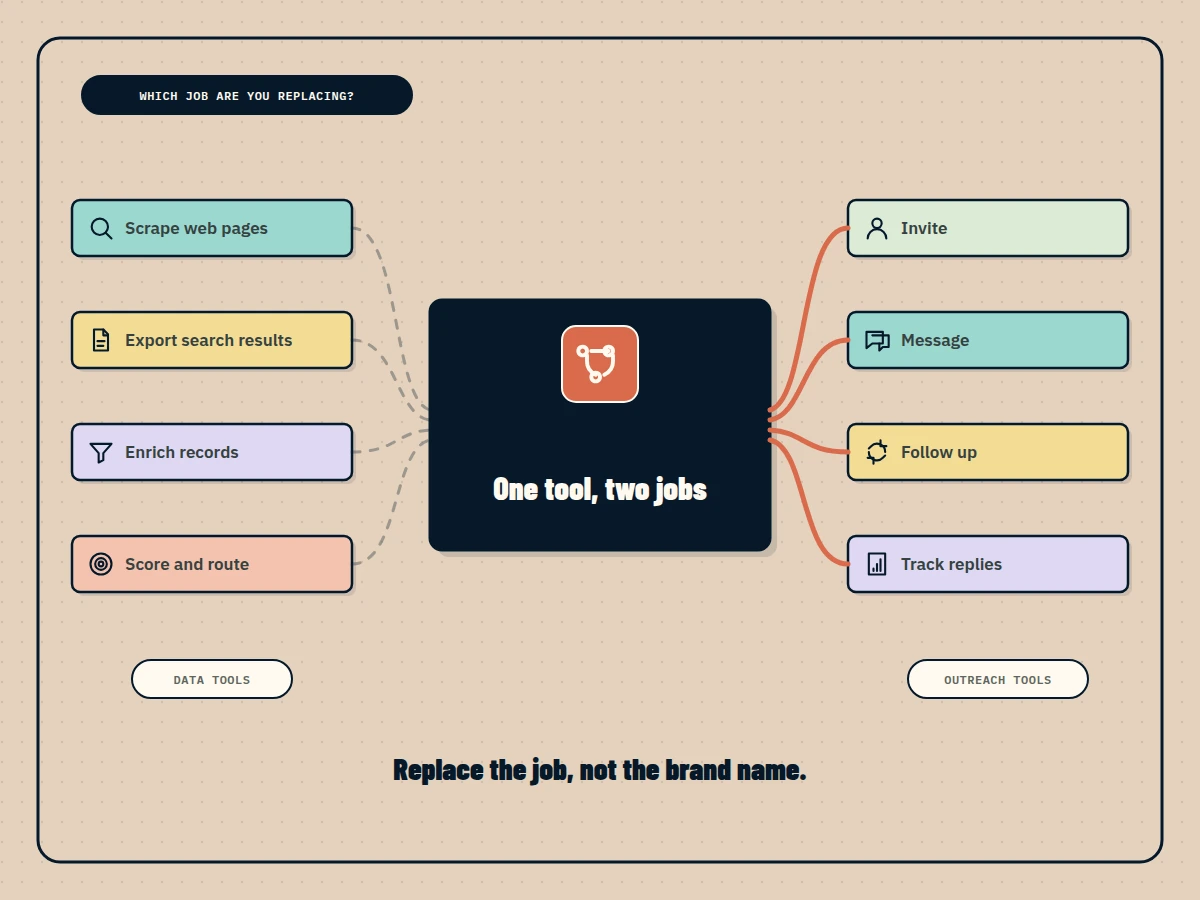
The best PhantomBuster alternative depends on which half of PhantomBuster you actually use. For scraping and data extraction, Apify is the closest general-purpose replacement, Evaboot is cheaper if you only export Sales Navigator searches, and Clay suits enrichment pipelines. For LinkedIn outreach, OutreachGenie has a free plan that runs campaigns from your own Chrome, and Linked Helper is a desktop app from $15 a month. We checked every price below on the vendor’s own pricing page on November 6, 2026.
The short comparison
PhantomBuster is listed first as the reference point. “Cheapest paid plan” is the lowest monthly-billed price we could see; annual billing is usually cheaper.
| Tool | Best for | Cheapest paid plan (USD/month) | Free plan | How it runs | Channels |
|---|---|---|---|---|---|
| PhantomBuster (reference) | Chaining extraction and LinkedIn automations | Not shown in USD (Start: €69) | Trial tier: 2 h execution, exports capped at 10 rows | Cloud, plus a quick-save Chrome extension | LinkedIn, Sales Navigator and 15+ data sources |
| Apify | Custom or large-scale scraping | $19 plus usage | Yes: $5 of usage a month, no card | Cloud | Web data from almost any site |
| Clay | Enrichment and scoring pipelines | $185 (Launch) | Yes: 500 actions and 100 data credits a month | Cloud | Data enrichment; email through Clay or integrations |
| Evaboot | Exporting Sales Navigator searches with emails | $9 (100 credits) | Not shown | Web app and a Chrome extension inside Sales Navigator | Sales Navigator data and email finding |
| OutreachGenie | LinkedIn campaigns on a small budget | $15 (Pro) | Yes: 80 outreach actions and 500 new prospects a week, no card | Chrome extension in your own browser, plus a web app | LinkedIn only |
| Linked Helper | Desktop LinkedIn automation | $15 per license | No; 14-day trial without a card | Desktop app on your computer or a VPS |
First, name the job you are replacing
PhantomBuster’s pricing page describes two kinds of work in one product: data extraction from more than 15 platforms, and LinkedIn and Sales Navigator automation such as outreach campaigns and lead warming. Its plans meter both with automation slots, monthly execution time and credits. When people look for an alternative, they usually want one of those jobs done better or more cheaply, not a copy of the whole toolkit.
Write down what your Phantoms actually do each week. If the list is “export search results, enrich them, push them to the CRM”, you need a data tool. If it is “send invitations, follow up, see who replied”, you need an outreach tool. Few teams need both from the same vendor, and splitting them often makes each job easier to audit.
Data tools
Apify: for scraping beyond LinkedIn
Apify is a cloud platform for running scrapers, which it calls Actors. You can write your own or rent ready-made ones from the Apify Store, including LinkedIn scrapers published by third-party developers with their own per-run pricing.
- Price: Free plan at $0 with $5 of monthly usage and no card. Starter is $19 a month plus pay-as-you-go usage at $0.20 per compute unit. Checked November 6, 2026 on the Apify pricing page.
- Pros: works on almost any website; scheduling, storage and an API are built in; you only pay for what runs.
- Cons: costs are harder to predict than a flat plan; LinkedIn Actors are maintained by different authors, so quality varies; it does no outreach.
Clay: for enrichment and lead scoring
Clay is a spreadsheet-style workspace that pulls data from many providers, runs waterfalls to find emails and phone numbers, and lets an AI agent research each row. It is the alternative for teams that used PhantomBuster mainly as the first step of an enrichment pipeline.
- Price: Free plan with 500 actions and 100 data credits a month. Launch is shown at $185 a month on monthly billing ($167 billed annually), combining actions and data credits. Checked November 6, 2026 on the Clay pricing page.
- Pros: very flexible; strong enrichment and signals such as job changes; unlimited seats on every plan.
- Cons: the most expensive entry point here; a steep learning curve; LinkedIn outreach happens in other tools.
Evaboot: for clean Sales Navigator exports
Evaboot does one thing: it turns your Sales Navigator searches into a cleaned list with found and verified emails. If your Phantoms mostly exported Sales Navigator results, it is the simplest swap.
- Price: Starter at $9 a month for 100 credits, Grow at $29 for 400, with credits that roll over. No free plan is shown. It requires an active Sales Navigator seat. Checked November 6, 2026 on the Evaboot pricing page.
- Pros: cheap and focused; data cleaning and email verification included; API and MCP access on every plan.
- Cons: depends on Sales Navigator, which LinkedIn bills separately; no other data sources; no outreach.
Outreach tools
OutreachGenie: for LinkedIn campaigns without a monthly bill
OutreachGenie is a LinkedIn outreach workspace. You capture prospects from profiles, LinkedIn search, Sales Navigator, post engagement or a CSV, group them into lists, and run visual flows of visits, invitations, messages and follow-ups. A Chrome extension carries out each action in your own signed-in LinkedIn session and writes the result back to the web app. A hosted MCP server, Zapier and API keys come with every plan, including Free.
- Price: Free at $0 with no card, capped at 80 outreach actions and 500 new prospects a week. Pro is $15 a month ($150 a year) and removes both caps. Agency is $20 per connected LinkedIn account a month. Checked November 6, 2026 on the OutreachGenie pricing page.
- Pros: the only free plan in this list that runs real campaign actions; low paid entry; prospect capture and outreach in one record.
- Cons: LinkedIn only, with no email sequences; Chrome must stay open while actions run; a newer product with a smaller track record; the Free plan stops at its weekly caps.
If you are weighing it, the OutreachGenie case study explains how the web app and extension fit together.
Linked Helper: for desktop automation with exports
Linked Helper is desktop software that drives LinkedIn from your own computer or a VPS. It covers invitations, messages and profile data export, and keeps your LinkedIn session on that machine.
- Price: $15 per Standard license a month on a one-month term, with discounts for longer terms and more licenses. A 14-day trial of full Pro access needs no card. Checked November 6, 2026 on the Linked Helper pricing page.
- Pros: low price; a broad feature set; a choice of local or cloud data storage.
- Cons: the machine running it has to stay on; per-license setup for each LinkedIn account; desktop software is less convenient for teams.
Which one should you pick?
- You scrape many kinds of sites: Apify.
- You build enrichment and scoring pipelines: Clay.
- You only export Sales Navigator searches: Evaboot.
- You want to run LinkedIn outreach for free or close to it: OutreachGenie.
- You prefer a desktop app and accept keeping a machine on: Linked Helper.
- You need extraction and automation chained across many platforms: staying on PhantomBuster may still be the simplest choice.
Several of these tools now publish MCP servers, so an AI assistant can query or drive them. Innovate Blog’s comparison of LinkedIn MCP servers covers that angle in more depth.
Move off PhantomBuster without double-contacting people
Export your result CSVs before you cancel, and keep the LinkedIn profile URL as the key in every list. Pause scheduled Phantoms before a new tool starts acting on the same people, or prospects can receive two invitations or two follow-ups. Record which list came from which source and date, so a second person can check why someone was contacted.
What LinkedIn’s rules say
Section 8.2 of LinkedIn’s User Agreement prohibits software, scripts, crawlers and browser add-ons that scrape or copy LinkedIn, and separately prohibits bots or other unauthorized automated methods for adding contacts, sending messages and engaging with posts. LinkedIn’s Help Center page on prohibited software and extensions applies both to third-party tools that scrape, modify or automate its site and says accounts using them can be restricted or shut down. Its page on automated activity adds that a restricted member is asked to disable the tool before the account is re-enabled. That applies to every tool above, in the cloud, on a desktop or in a browser, and pacing settings or daily limits only reduce how much activity a tool generates; they do not make it permitted.
Related comparisons
If you are choosing a whole prospecting stack on a startup budget, see our LinkedIn lead generation tools for startups. If your outreach is mostly LinkedIn and you are paying for an email-first sequencer, see our lemlist alternatives. If you used Dux-Soup for LinkedIn automation, the Dux-Soup alternatives guide compares browser, desktop and cloud options. For a wider ranking of LinkedIn automation tools, Outreach Benchmarks keeps a comparison of the best LinkedIn automation tools. Before launching any campaign, our LinkedIn outreach workflow guide covers list rules, review and reply ownership.
OutreachGenie is a LeanOrchestr product.
Questions people ask
What is the best free PhantomBuster alternative?
It depends on the job. For scraping, Apify's Free plan gives $5 of monthly usage without a card, and Clay's Free plan includes 500 actions and 100 data credits a month. For LinkedIn outreach, OutreachGenie's Free plan runs campaigns with 80 outreach actions and 500 new prospects a week, also without a card. Prices were checked on November 6, 2026.
Which PhantomBuster alternative is best for exporting Sales Navigator searches?
Evaboot is built for that one job. It exports your own Sales Navigator searches, finds and verifies emails, and starts at $9 a month for 100 credits. It needs an active Sales Navigator seat, which LinkedIn bills separately.
Does PhantomBuster have a free plan?
Its pricing page shows a free trial tier with 5 automation slots, 2 hours of execution time and exports limited to 10 rows. Paid plans start with Start, shown to us at 69 euros a month on monthly billing. A USD price was not shown from our location on November 6, 2026.
Which alternatives keep running when my computer is off?
Apify, Clay and PhantomBuster run in the vendor's cloud. Linked Helper is desktop software on your own computer or a VPS, and OutreachGenie acts through its Chrome extension, so the browser has to stay open while actions run.
Can any PhantomBuster alternative avoid LinkedIn restrictions?
No. LinkedIn's User Agreement prohibits scraping and third-party automation of its website, and LinkedIn can restrict accounts that use them. Every tool in this comparison carries that risk, whether it runs in the cloud, on a desktop or in your browser.
Sources and further reading
- PhantomBuster: plans and FAQ (checked November 6, 2026) ↗
- Apify: pricing (checked November 6, 2026) ↗
- Clay: pricing (checked November 6, 2026) ↗
- Evaboot: pricing and Sales Navigator requirement (checked November 6, 2026) ↗
- OutreachGenie: Free, Pro and Agency plans (checked November 6, 2026) ↗
- Linked Helper: license pricing and trial (checked November 6, 2026) ↗
- LinkedIn User Agreement ↗
- LinkedIn Help: prohibited software and extensions ↗
- LinkedIn Help: Automated activity on LinkedIn ↗