A connector is not a Business Brain
Connecting Slack, Drive, CRM, and project tools is only the beginning. Here is the less visible work required to make company knowledge reliable.
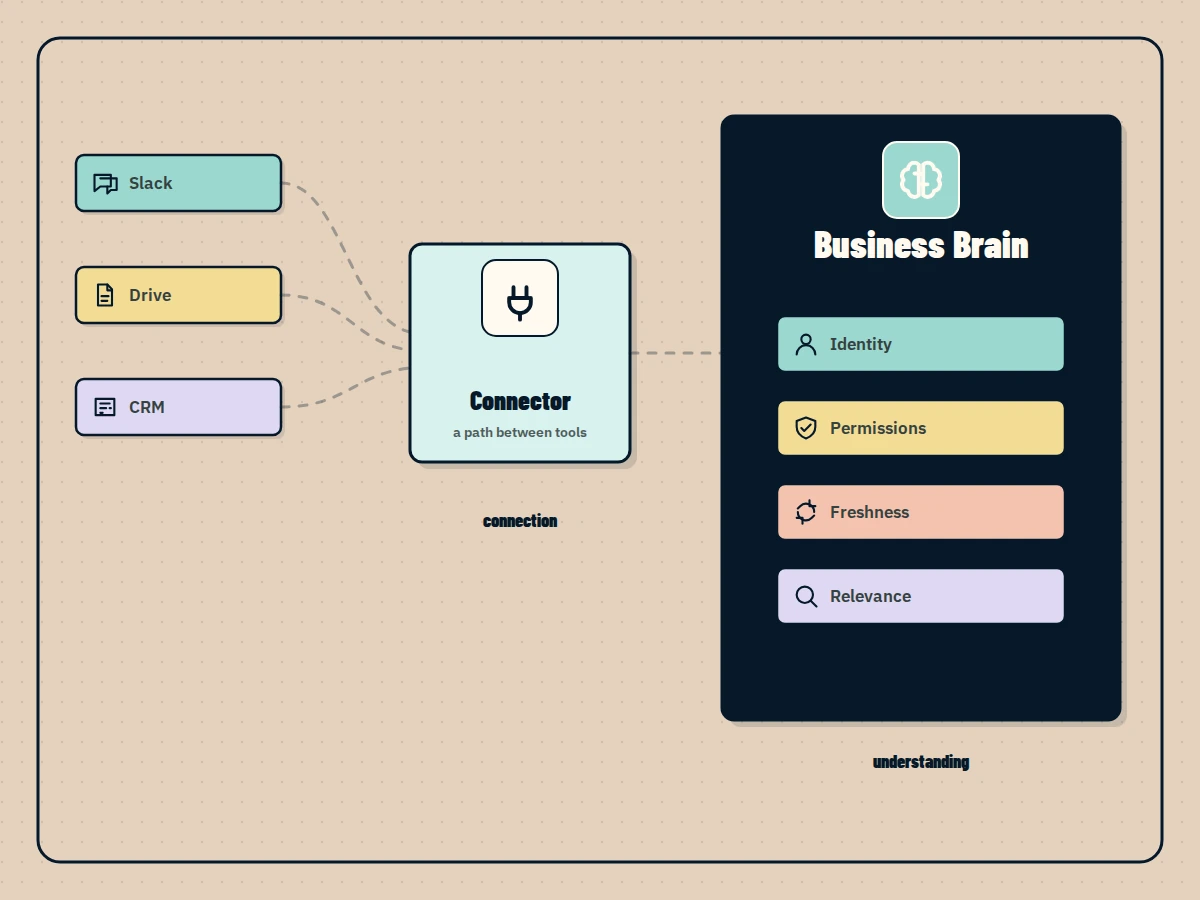
Connecting a tool is the easy part.
You authorize Slack. You add Google Drive. You connect the CRM. A test query returns a document, so the integration appears to work.
Then a real employee asks a real question.
The answer comes from an old proposal. A private HR file appears where it should not. Two records refer to the same customer under different names. A deleted policy keeps showing up because nobody removed it from the index.
The connectors are working. The knowledge system is not.
What a connector actually gives you
A connector creates a path between systems. Depending on the API, that path may let you read records, subscribe to changes, search content, or take an action.
That is valuable. It is also narrower than people assume.
A Slack connection does not automatically know that an employee changed departments. A Drive connection does not decide which policy is approved. A CRM connection does not explain why an opportunity moved backward after a meeting. Each source exposes its own objects, identifiers, permissions, and search behavior.
The Business Brain has to turn those separate views into one dependable operating picture.
Identity must be consistent across systems
One person may appear as an email address in Google Workspace, a user ID in Slack, an owner ID in HubSpot, and a full name in meeting notes.
If those identities are not resolved, simple questions become unreliable:
- What decisions did this project owner make last week?
- Which clients are waiting on this employee?
- What should this person be allowed to see?
Identity resolution is not glamorous, but it controls both relevance and security. It is how the system understands that several technical IDs refer to the same person, team, client, or project.
Permissions need to survive the connection
When a company connects its knowledge, access must not become flatter.
An employee who cannot open a finance folder in Drive should not receive its contents through a chat interface. A contractor working with one client should not discover another client’s files. Leadership notes should not become searchable by the whole company because the connector imported the text without its access rules.
Microsoft’s external content model makes this explicit. Indexed items can include an access control list that grants or denies visibility to users and groups. Those lists also have to stay synchronized as roles and group memberships change.
This is why “we connected the folder” is not a security design.
Freshness requires a real synchronization plan
Company information changes in different ways.
A ticket status may need an event based update within seconds. A policy library may be refreshed on a schedule. Some systems expose webhooks. Others require incremental polling. Deletions must be processed as deliberately as additions.
Microsoft recommends choosing between event based, scheduled, incremental, and full crawl approaches based on the type and sensitivity of the source. The exact implementation varies, but the operational question stays the same:
How quickly must a change reach the answer before the old answer becomes dangerous?
For an employee directory, a daily delay may be acceptable. For account ownership, inventory, or access revocation, it may not be.
Relevance is its own layer
Suppose a search for “Acme renewal” returns:
- A current CRM opportunity.
- Last year’s renewal proposal.
- A Slack discussion from yesterday.
- A template that happens to mention Acme as an example.
- Meeting notes from the active negotiation.
All five results match the words. They do not have equal value.
A useful system considers source type, recency, ownership, relationships, exact terms, semantic meaning, and the employee’s current task. It may prefer the current opportunity and recent meeting while keeping the template out of the answer.
This ranking work is why five successful connectors can still produce poor results.
Source authority must be defined
Companies often have several versions of the same truth.
The official refund policy is in the handbook. A team has a local document describing a workaround. Slack contains a temporary exception. The CRM note records what happened for one client.
The system should not blend these into one confident paragraph.
It needs rules for authority and scope. The handbook may define the standard policy. The CRM note may explain a customer specific exception. The Slack thread may provide evidence of an approval but not create a permanent policy.
Good answers make those differences visible and link back to the sources.
A practical way to connect tools
Do not begin with a connector count. Begin with a question.
Take “What is blocking this client project?” Then map the minimum evidence required:
- Project status and owners from the project tool.
- Recent client commitments from meetings and email.
- Open technical issues from tickets.
- Relevant decisions from Slack.
- Contract boundaries from the approved document store.
For each source, define identity, permission, freshness, deletion, authority, and ranking rules. Test the result with employees who have different access.
Only then add another workflow or source.
A Business Brain is not valuable because it has many logos on an integrations page. It is valuable when the right person can ask a difficult operational question and receive a current, permitted, source backed answer.
The connector opens the door. The system still has to understand the room.
Questions people ask
What does a data connector do?
A connector gives one system a supported way to read from or write to another system. It does not automatically resolve identities, preserve every permission, rank information, or decide which source is authoritative.
How many tools should a Business Brain connect first?
There is no useful target number. Start with the smallest set of tools required to answer one important group of questions or support one workflow reliably.
How do you stop connected knowledge from becoming outdated?
Use event based or scheduled synchronization, process updates and deletions, assign owners to critical sources, and show the source date with every answer.